AI Direction
AI Prototyping Studio: Bringing Ideas Closer to Production
The promise at stake: help teams turn ideas into consistent customer experiences with less repeated work between design and development.
Outcome recap
- A developer reused code from the first prototype in production.
- The revised handoff matched the development team’s existing setup.
- Developers judged the revised package substantially better and more useful to their process.
The challenge
A shared design system gives teams reusable interface components and visual rules. Its value depends on how easily people can use it to build real products.
Teams need to explore ideas, resolve unclear requirements, and test how an experience should work. Moving those decisions into implementation can involve rebuilding interfaces and translating work between design and development.
I initiated AI Prototyping Studio to make that process more useful. It turns ideas, product requirements, or existing designs into working prototypes using the company’s shared design system, with code developers can reuse.
The goal was to reduce development effort while preserving alignment with the system.
What I did
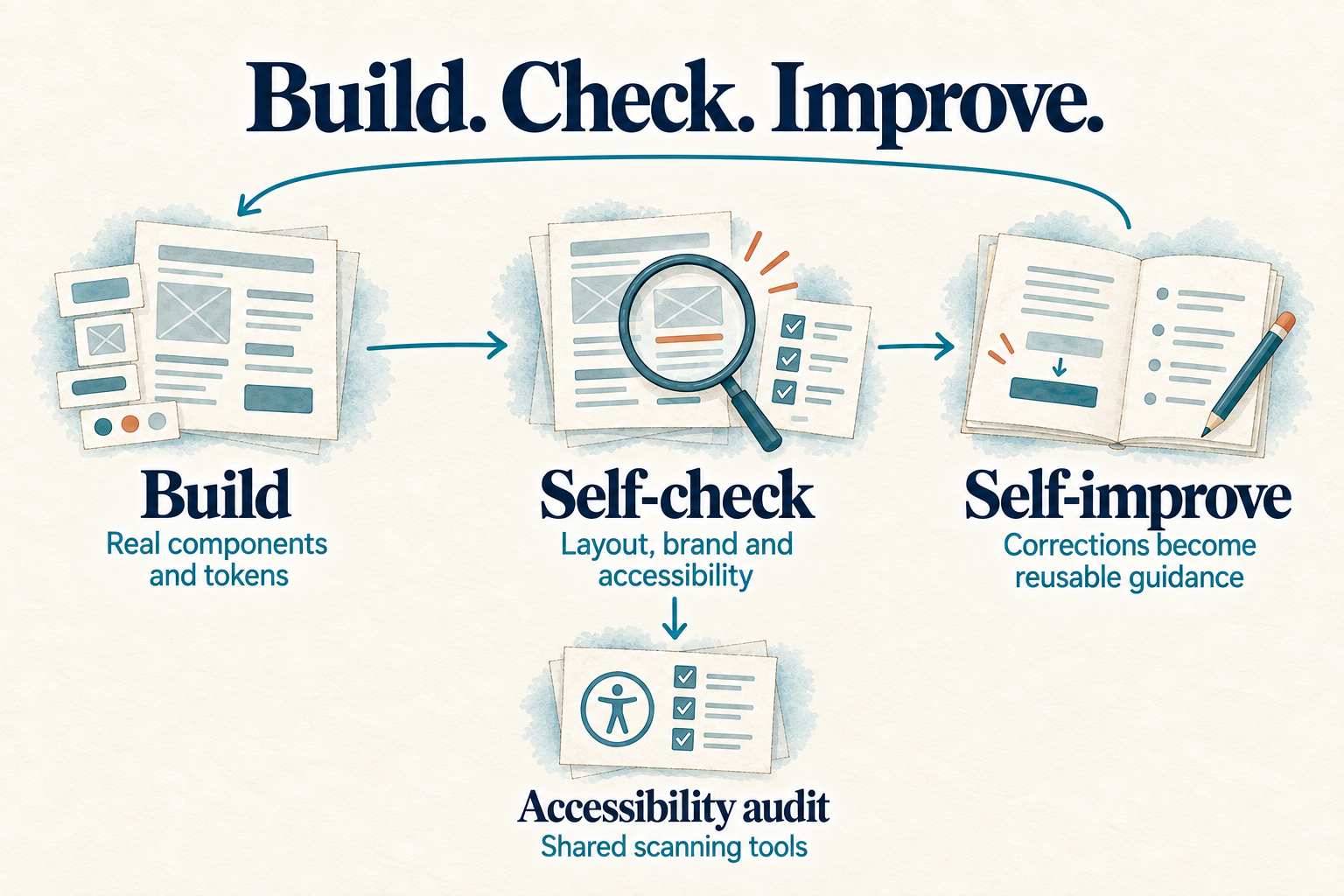
I directed the Studio around two requirements: use the shared design-system components and check the output before handoff. The workflow reviews layout and visual consistency, runs automated accessibility checks, and saves corrections as guidance for future work.
Put it to work on a customer experience
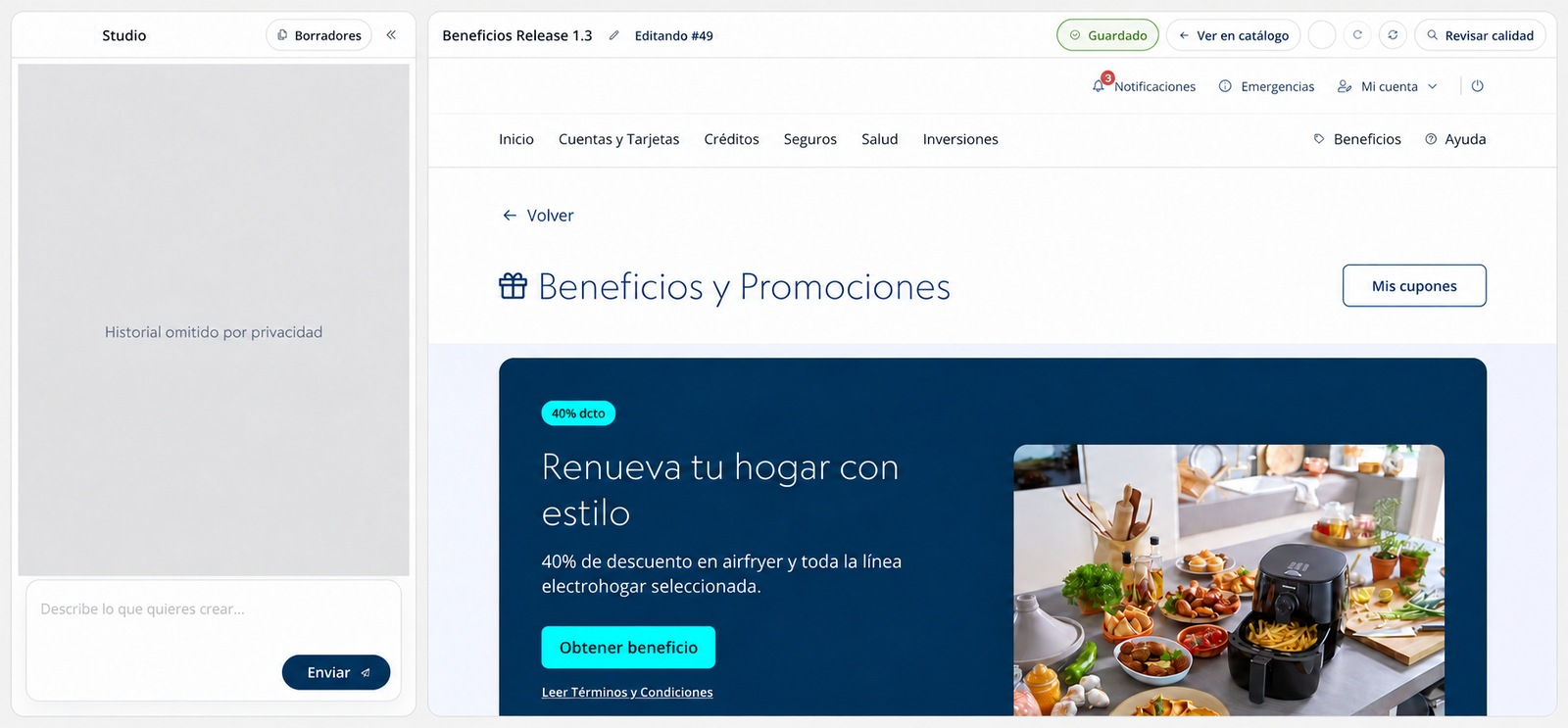
The Benefits hub gives customers one mobile-friendly place to discover and use extras associated with their products, such as credit-card discounts and insurance assistance services.
I supplied desktop and mobile Figma designs and directed successive agent runs to complete the prototype. A developer then reused some of its code in production.
Improve the handoff with developers
That first handoff revealed a mismatch: Studio installed the components differently from the development team. Developers had to interpret an unfamiliar setup, adding work the tool was meant to reduce.
I secured access to their shared component packages and refactored the handoff to match their project structure, installation steps, and configuration. Developers judged the revised package substantially better and more useful.
The principle was straightforward: to save developers work, Studio needed to work the way they did.
Outcome & impact
The first prototype contributed code to a customer-facing production implementation. It demonstrated that the output could carry value beyond exploring and communicating a design.
The revised handoff addressed a concrete obstacle to further reuse: compatibility with the development team’s working environment. Their feedback showed that the package had become more familiar and useful.
Reuse is progressive. Some code reached production from the first prototype; the revised handoff provides a better foundation for developers to carry more forward. The amount of additional reuse and the development-time savings remain to be measured.
The next stage is to extend the same component setup across the design team’s Studio instances.
What this taught me
Start with the environment of the people who will use the output.
I initially focused on whether the agent could produce a working interface aligned with the design system. The handoff showed that installation methods, dependencies, and project structure also determine how useful that interface becomes.
If I started again, I would replicate the developers’ tools and environment as closely as possible before directing the agents. That gives their work a stronger starting point and keeps the initiative focused on its purpose: reducing repeated development work while preserving a consistent customer experience.
Skills demonstrated
- Design-system strategy
- AI direction
- Developer collaboration
- Product prototyping
- Quality review
- Accessibility automation
Proof / artifacts
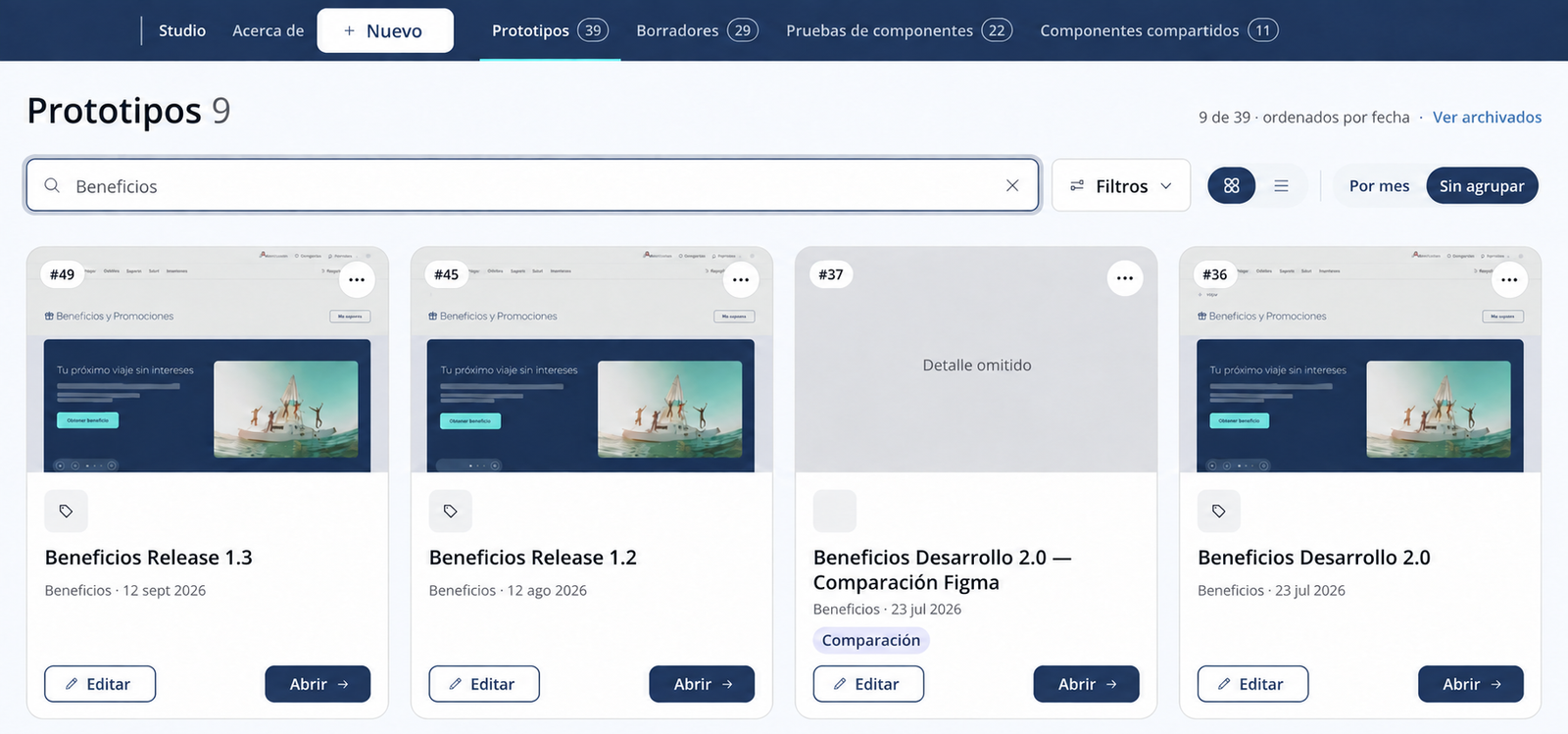
The workflow diagram, editing workspace, and prototype catalogue illustrate how the system operates. The screenshots are anonymized prototype views; production reuse refers to code taken from the prototype, rather than the complete pictured interface.